


In April, earlier this year we announced we'll be transitioning all users from the Quin for ABUS app to our newer platform, Quin Within. This marks an important step forward in delivering a more advanced, reliable, and feature-rich Quin experience.
What is happening & when?
The Quin for ABUS app is closed.
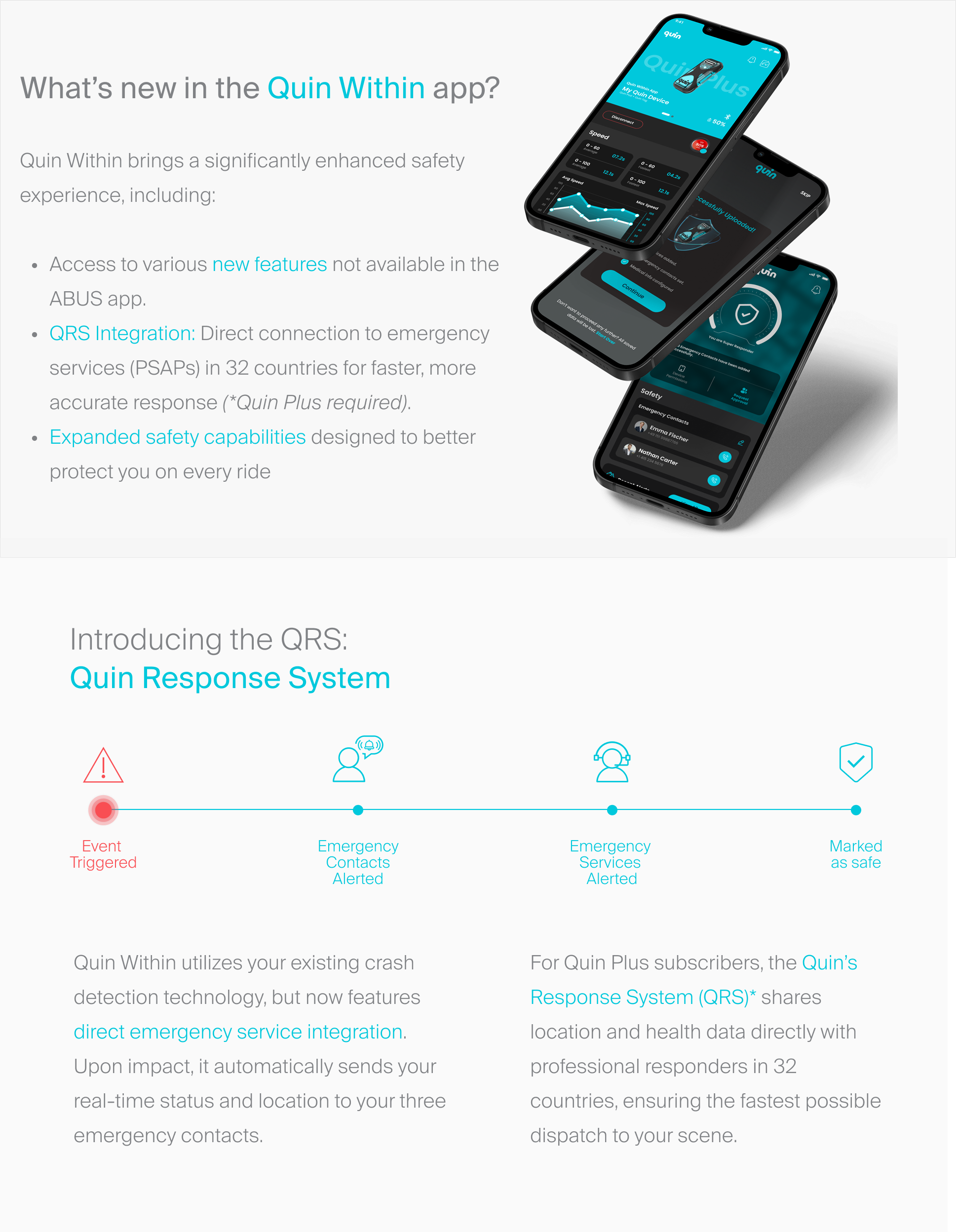
To continue using Quin safety features, you'll need to move to Quin Within, our latest app designed to provide enhanced safety, improved performance, and access to new features.
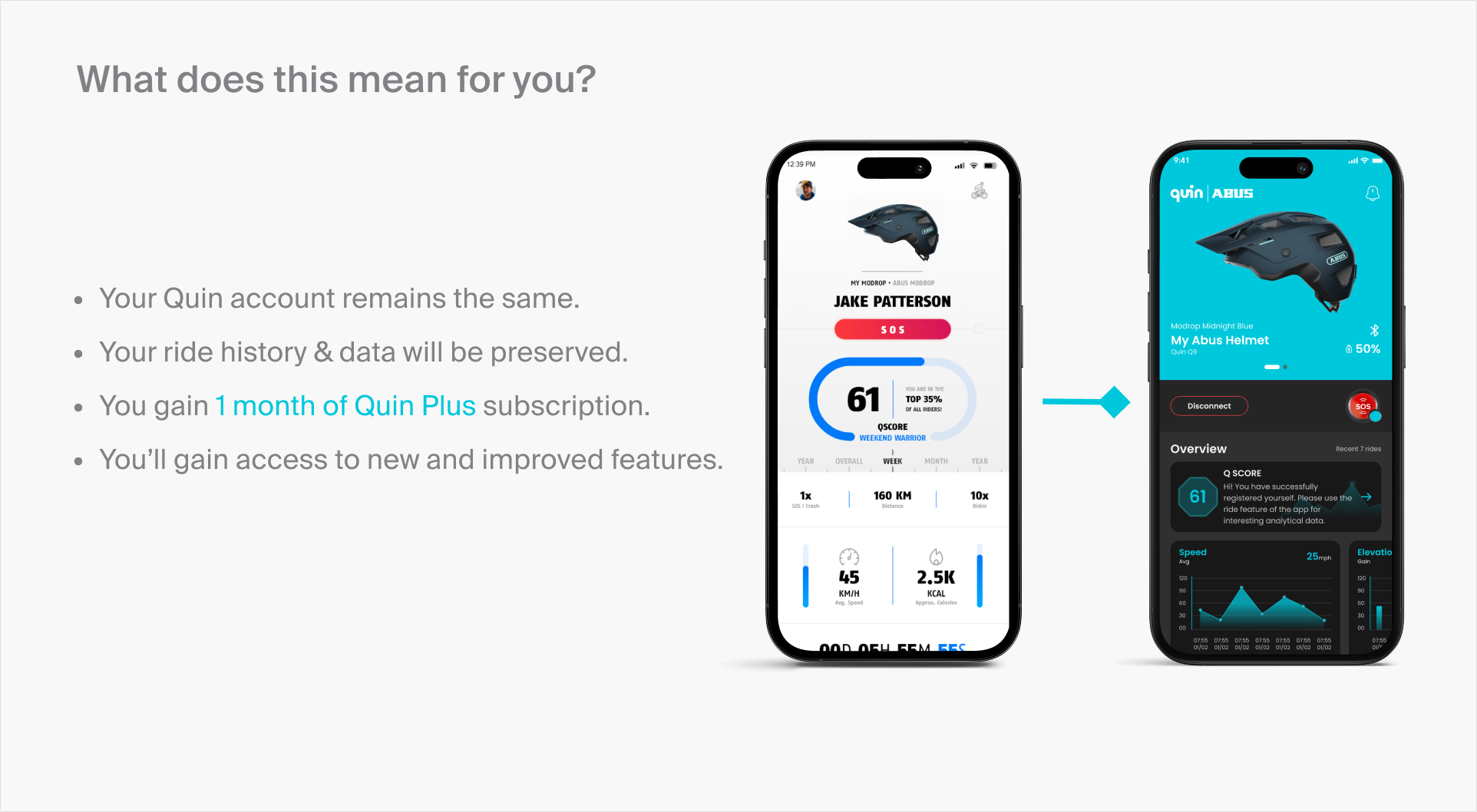
To honor our legacy users we are providing all existing Quin for ABUS users 1 month of Quin Plus subscription at no cost.
Please follow all the steps mentioned carefully to successfully claim your 1 month Quin Plus subscription.
Step 1: How to uninstall Quin for ABUS?
For Apple users:
Follow all the instructions and steps provided by Apple here.
For Android users:
Follow all the instructions and steps provided by Google here.
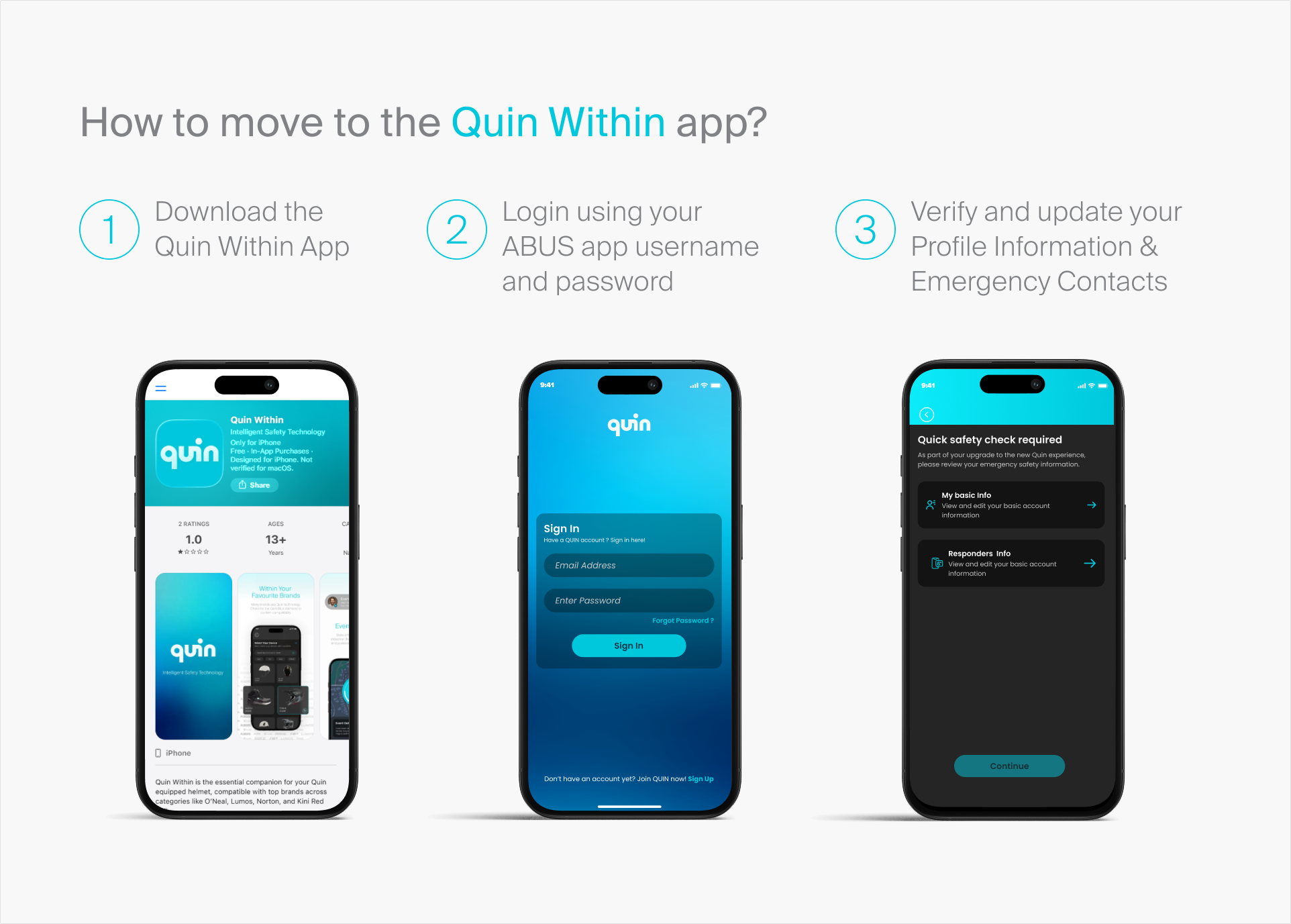
Step 2: Install the Quin Within app
- Download the Quin Within App here
- Login using your Quin for ABUS username and password
- Verify and update your Profile Information & Emergency Contacts
Step 3: Subscribe to Quin Plus and avail the free 1 month
- Navigate to the Quin Plus subscription page from the home tab by scrolling down
- Choose a subscription plan
- Click the button “Get 1 month free, Go Quin Plus”
Congrats! You’ve successfully availed your free 1 month subscription to Quin Plus.
Contact support@quinwithin.com for assistance at any time.
Frequently Asked Questions (FAQs):
